
Send One Controlled Drawing Revision with a Custom-Bracket RFQ
Control drawing authority, file revisions and supplier exceptions so every custom-bracket quote prices the same approved requirement.
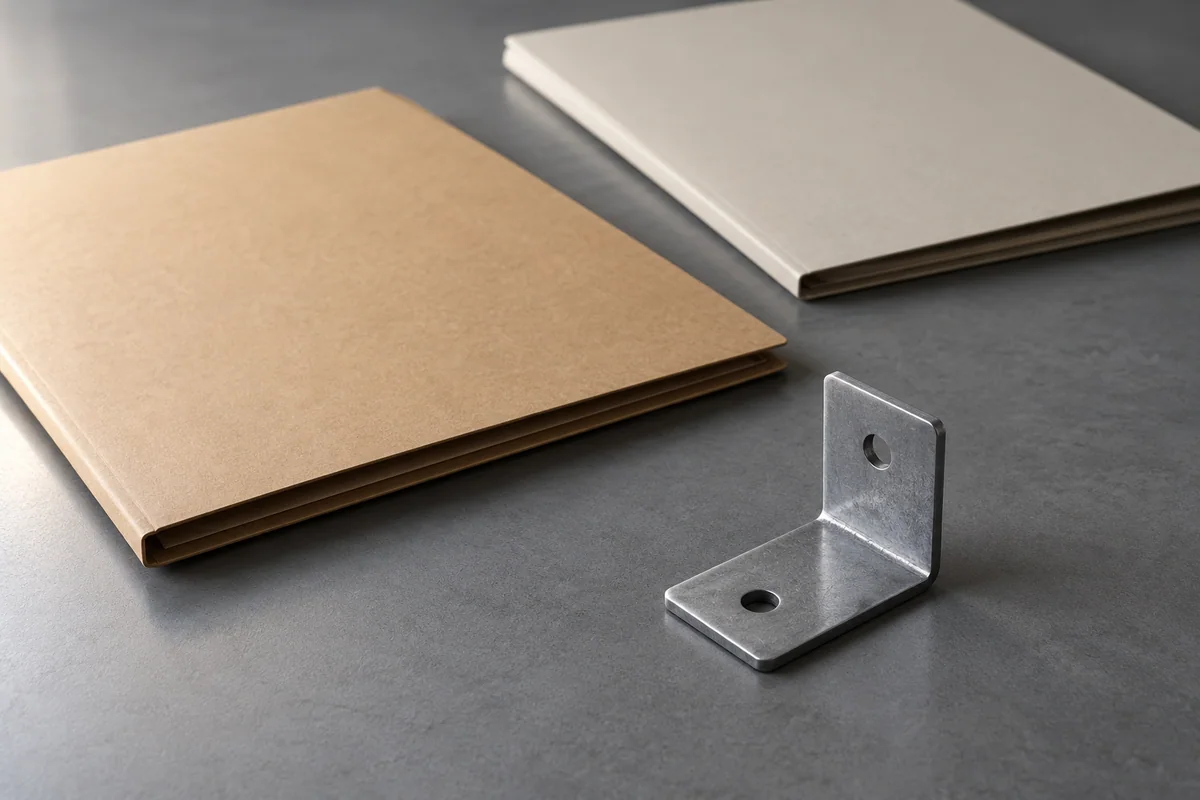
A custom-bracket quotation is useful only when both sides can identify the requirements it prices. Two attachments called “final” can describe different parts. A supplier may quote the PDF while the buyer expects the CAD model, and a later clarification may change the commercial basis without changing the quote number.
Before requesting a firm comparison, issue one controlled RFQ package. Name the authoritative drawing or model, its revision, the supporting files, and the person allowed to resolve conflicts. Ask every supplier to acknowledge that package and list exceptions separately. This article stops at approval of the quote baseline; it does not prescribe a manufacturing process, inspection plan or downstream production change system.
Give each file a defined job
An RFQ cover sheet should identify the part number, requested quantity, issue reference and issue date. List every attachment with its exact filename, format and revision. Where your document system supports it, retain a checksum alongside the issued file as an additional file identifier. Do not treat the checksum, a recent timestamp or a filename containing “approved” as design authorization.
State which document defines each type of requirement. Your designer might authorize a drawing for dimensions and notes, with a model supplied for supporting geometry; another project may use an approved model-based definition. There is no universal rule that the PDF always wins or that the three-dimensional file always wins. Ask the responsible designer to establish the hierarchy for this package.
If two files conflict, record the conflict and pause reliance on the affected quote. Do not average dimensions, infer intent from appearance, or tell the supplier to choose whichever is easier. An older approved drawing can remain authoritative while a newer working file is still unfinished.
Separate requirements from questions
Carry the designer’s approved material, finish, dimensions and tolerances into the issued package without rewriting their technical meaning. A buyer can flag an unclear note, but should not add an arbitrary tolerance to make a quotation appear complete. If a dimension lacks a necessary reference, request clarification from the design owner.
When a drawing invokes a standard, record the full designation and edition supplied by the designer. ASME’s public page identifies Y14.5-2018 (R2024) and describes its scope as the language and interpretation of geometric dimensioning and tolerancing on drawings, digital models and related documents. That establishes the standard’s scope; it does not supply a default tolerance for your bracket. No paid clauses or numerical rules are reproduced here. ASME Y14.5 public description
Ask the supplier to point to the exact requirement it cannot interpret or price. “Please relax the tolerance” is incomplete without the drawing reference, proposed replacement requirement and the effect on the quoted offer. A purchasing coordinator should return the question to the authorized designer rather than approving a change through a quick chat reply.
Use an RFQ issue register
Use one register for the issued package and a linked list of supplier questions. The following fields are a buyer-control template, not mandatory fields claimed from an engineering standard.
| Register field | What to record | Hold condition |
|---|---|---|
| RFQ and part identity | Issue reference, part number, quantity and selling unit | Quote refers to another part or quantity |
| Authoritative definition | Exact drawing/model name and approved revision | Authority or revision is unclear |
| Supporting files | Filename, revision, format and optional checksum | PDF and CAD appear inconsistent |
| Requirements needing attention | Drawing location and exact requirement text | Supplier assumes an unstated tolerance |
| Supplier acknowledgement | Reply date, quote reference and package acknowledged | “As discussed” without an identifiable package |
| Proposed exception | Original requirement, proposed change and reason given | Proposal is hidden inside an accepted-price line |
| Decision record | Authorized owner, decision, date and resulting issue | No approval, or approval covers only part of the change |
Keep supplier questions in their original wording beside a plain-language explanation. If translating, preserve the drawing references and technical symbols rather than retyping them loosely. A clarification that changes a requirement belongs in a new controlled issue; a clarification that only explains an unchanged requirement still needs a visible record linked to the quote.
A hypothetical hole-location conflict
Assume an invented, passive, non-safety-critical display bracket identified as BR-17. No real drawing, application or manufacturing capability is being claimed. Revision A’s PDF shows a hole-location value of 25 mm from its stated reference. A later working model labeled Revision B shows 27 mm for the same location. The buyer requests 40 individual brackets but has not authorized Revision B.
Supplier One acknowledges the Revision A PDF. Supplier Two writes “latest CAD used” without identifying its revision. Neither a timestamp nor a lower price resolves the disagreement. The buyer’s issue register records one conflict, identifies the design owner, and marks the comparison on hold.
If the owner confirms Revision A, the buyer withdraws the working model from the active RFQ package, issues matching support files where needed, and asks both suppliers to confirm or revise their offers against that package. If the owner approves Revision B instead, both suppliers receive the same newly authorized issue. The example establishes document consistency only. It says nothing about whether either dimension is suitable, achievable or safe.
Preserve manufacturability suggestions as alternatives
A supplier may propose changing a feature, material, finish or process. Capture the proposal as a separate alternative with its own reference. Ask what the supplier priced if the baseline remains unchanged and what it priced if the proposed change is later accepted. If it cannot quote the baseline, record that plainly rather than creating an imaginary baseline price.
Do not accept a chain of qualifications spread across messages as one clean offer. Ask for a consolidated response naming the current package and every exception. A statement that the supplier can “make something similar” is a proposal to discuss, not acknowledgement of the issued drawing.
Price and timing consequences need the supplier’s actual reply. Do not promise that a looser tolerance, different hole or altered finish will lower cost. Even an apparently small change may require review of other requirements; have the design owner determine that scope.
Close the quote baseline deliberately
Before comparing final offers, check that each quote names the same active issue, quantity and included requirements. Confirm that open questions are either resolved or visibly conditional. Record approved alternatives separately so the buyer can see which offer answers the original brief.
Hold approval when the design owner is missing, files disagree, units are ambiguous, a critical note is unreadable, or the supplier will not identify its assumptions. A conditional budget estimate can remain useful if clearly labeled; it should not become a firm matching quotation by omission.
The final purchasing record should connect one approved package, one supplier response and one exception decision. With that connection intact, the buyer can decide what is being priced before debating whose price is better.
Frequently asked questions
What if the PDF and CAD file have different revisions?
Hold reliance on the affected quote and ask the authorized design owner which definition controls. Issue a consistent package and obtain a supplier acknowledgement or revised quote.
Does the newest file automatically control?
No. The approved issue and stated document hierarchy control this buyer workflow. A timestamp does not establish approval.
Can a supplier suggest a different tolerance?
Yes, as a documented alternative. The responsible designer must decide whether to accept it; keep the proposed change separate from the baseline offer.
Does agreeing the drawing revision approve production?
This article ends at quote-baseline approval. Purchase release, production authorization and later change control need their own agreed process.
Sources
Discuss a sourcing request related to this article.Send One Controlled Drawing Revision with a Custom-Bracket RFQ